The engine,
part by part.
You finish your tasks, they pay you points, and those points buy the rewards you wrote yourself. Here is how each part works — and why there is nothing else to remember.
The four beats of the system
1. Create
A title, an effort level, a group. Two or three taps and it is filed away.
2. Complete
One gesture to tick it off. The points land immediately.
3. Bank
Points build up in a single balance, on screen at all times.
4. Spend
You buy a reward you created yourself, then you use it.
Create.
Never like paperwork.
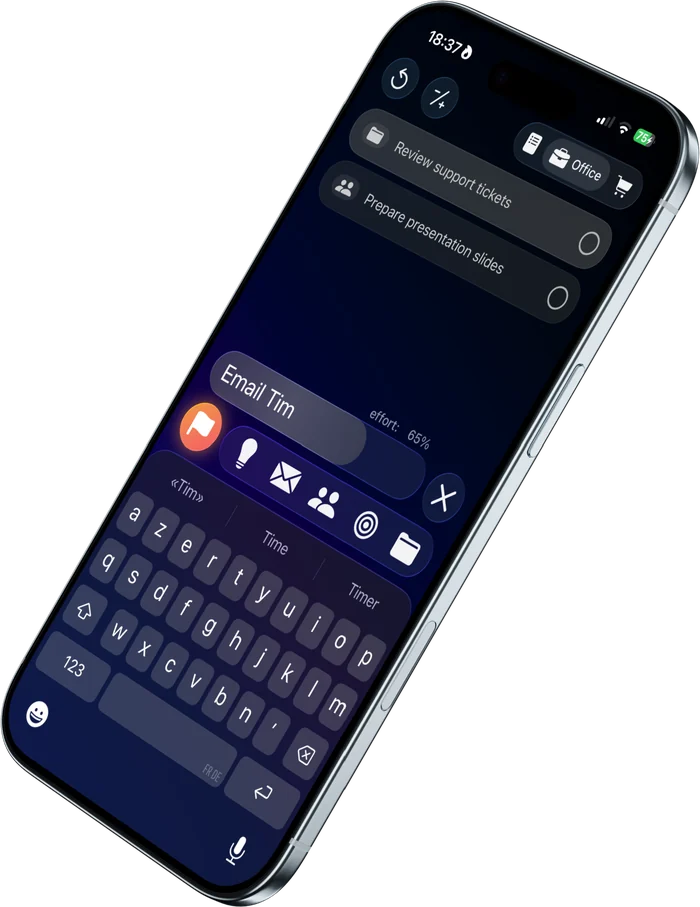
The screen opens with the keyboard up and closes as soon as you pick an icon. That is all there is to it: the point is to capture the task in seconds, not to keep a tidy list.
- The effort slider (0 to 100%) is set with one swipe and decides the task's points directly.
- The “important” flag — not the star, which is reserved for points — marks a task as a priority: it moves to the top of the list and pays a bonus.
- The icons are solid and readable at a glance: you find a task again without reading the whole list.
- Groups (Work, Home, Training…) come with 5 icons each, and can pay points or not, with or without a difficulty level.
Complete.
One gesture, and it counts.
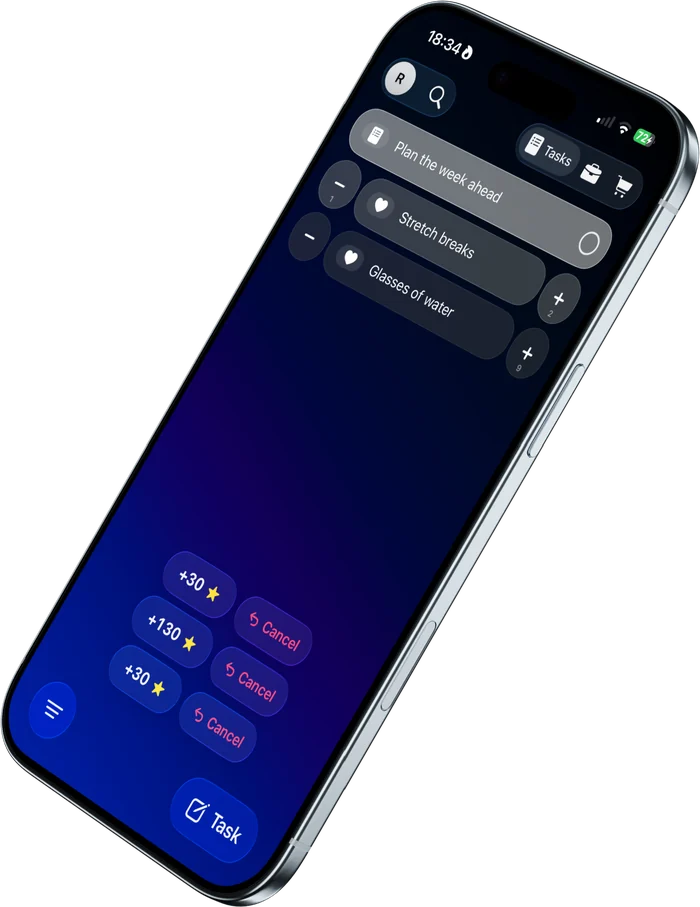
You tick the task off. There is no confirmation to give, no screen to walk through, nothing to re-enter anywhere else.
- The points you earned appear immediately and are added to your balance.
- An “Undo” pill stays available for 3 seconds: the completion is withdrawn and the points taken back. So you can move fast without risk.
- The balance and the statistics update on their own: you have no books to keep.
What is a task worth?
The formula is public, fixed, and the same for everyone.
Counter tasks follow the same rule, minus the base. Each tap on the “+” pays the value of the effort slider, without the 50 opening points: a counter set to 30% pays 30 points per unit. That is deliberate — a counter is made to be pressed several times a day, so it cannot pay as much as a task carried to the end.
One deliberate exception: if you set a group up to pay no points, its tasks are still worth a symbolic 5 points. Zero does not exist in Wildone — something done is never done for nothing.
Spend.
A shop that starts out empty.
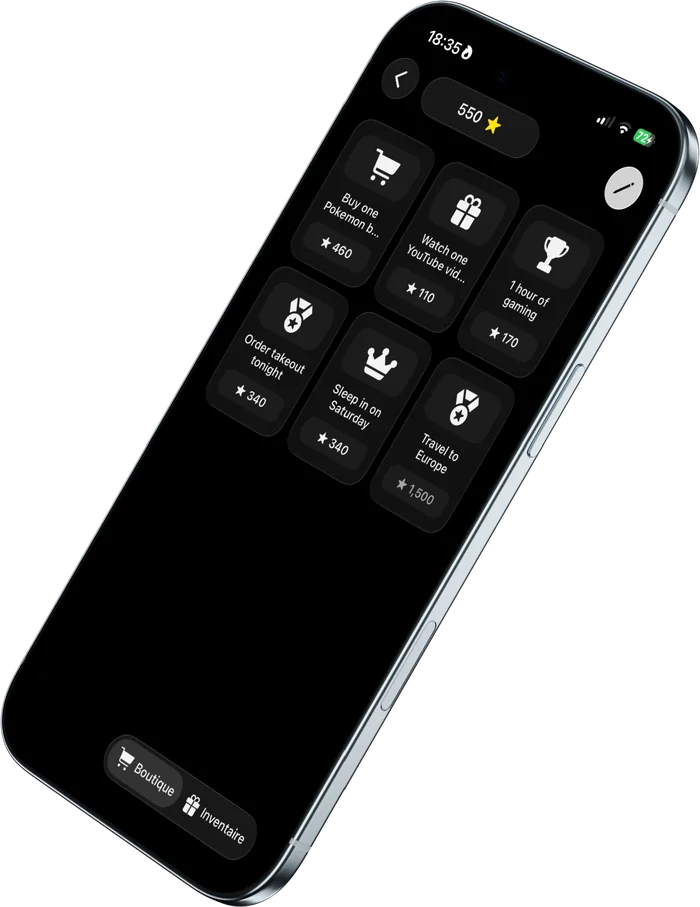
A generic reward speaks to nobody. You create your own: a name, an icon, and a price in points that you set yourself.
- When your balance covers it, the reward is bought and moves into your inventory.
- From the inventory, you use it — that is the moment it exists in real life.
- Here too, a purchase can be undone for 3 seconds.
- Rewards you cannot afford yet stay visible: they are what you are aiming at.
Use it.
What you already bought yourself.
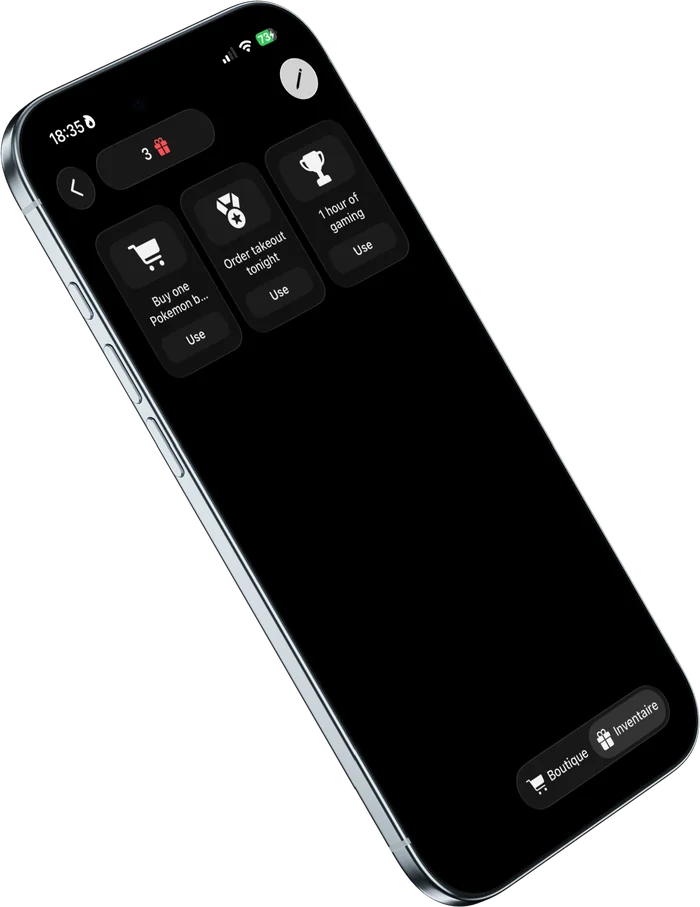
A reward you have bought waits in the inventory until you decide to enjoy it. The “Use” button is the full stop at the end of the loop — and the start of the next one.
- No expiry date, no pressure: you use it when it suits you.
- The counter of pending rewards keeps track of what you are owed.
What else
is in there.
The system holds up without them. They are there so you have even less to think about.
Recurring tasks
Weekly (on the days you pick), periodic (every X days, months or years) or on a fixed date. Today's instance is generated automatically when you open the app — and never piles up if you skip one. A missed day is not waiting for you when you come back.
Counter tasks
Some things are not ticked off once and for all: they are counted. The task stays in the list and goes up through the day, each unit paying the value of its effort slider.
Sort and filter
Several sort modes, plus a filter by effort level. Ten minutes to spare: show only the light tasks and tick off three. A real block of time: keep the heavy ones and get started.
Statistics
The number of tasks completed, a chart of the last few days to see where you stand, and a few markers on your points. An overview, not an analytics tool — look at it if you feel like it, never required for the system to run.
Local notifications
A daily reminder at the time you choose, reminders for recurring tasks, quiet hours. Scheduled by your device — no server is involved.
Backup & iCloud
Manual export to a .wildone file for everyone. Automatic sync between devices through your own
personal iCloud account with Premium.
The system is simple.
That is what makes it last.
Download Wildone, create three tasks and one reward. You will know within a day whether it works for you.